When people ask how to start a horror podcast, they usually mean which microphone to buy. That is the easy part. The decisions that make or break a show come first: what kind of show it is, whose stories you are allowed to tell, and how often you can really deliver an episode. This guide covers how to make a horror podcast from the format to a published feed, with ten name ideas along the way.
Choose a format
Pick the horror podcast format you can sustain for a whole season, not the most ambitious one.
- Format
- Anthology
- What it is
- A different story each episode, one narrator
- Good for
- Flexible scheduling; guest writers
- Format
- Narrated serial
- What it is
- One story told across a season
- Good for
- Dread that builds for weeks; cliffhangers
- Format
- Fictional case files
- What it is
- Invented incidents presented like an investigation
- Good for
- Listeners who like the true-crime style
- Format
- Audio drama
- What it is
- A full cast and scenes instead of narration
- Good for
- Immersion, at the cost of more production
Fictional case files borrow the voice of true crime, so keep them clearly fiction: invent every person, place and incident, say in the show notes that the horror podcast is fiction, and never borrow a real case or a real victim's name.
Write for the ear
A horror podcast script is not a short story read aloud.
- Short sentences. A listener can't reread a long one.
- Tag the speakers. Use names in dialogue more than you would on the page, or give each character an unmistakable voice.
- Describe through sound. Not "the room was dark" but "I could hear the bulb ticking as it cooled."
- Repeat the key detail. Mention the locked door twice before it matters; attention drifts, and a horror podcast is often heard while driving or doing chores.
- Write sound cues into the script, in brackets on their own line, so recording and design follow one plan.
- Read every draft aloud. If you run out of breath, the sentence is too long.
For the shape of a single story, from hook to final beat, see how to tell a scary story.
Clear the rights
Perform only stories you wrote yourself or have permission to use. It is the rule people break most often, and it can end a horror podcast.
Many story sites say their stories belong to their authors. In 2020 the moderators of r/nosleep took the subreddit private for a week to protest narrators using stories without permission or fair credit; their position was that "Permission must always be asked for" (Tubefilter). If a story carries a Creative Commons license, read its elements: NC means "Only noncommercial use of your work is permitted", which rules out a horror podcast with ads or paid tiers, and BY means you must credit the creator (Creative Commons).
When an author says yes, get it in writing: which show and platforms it covers, whether the episode can earn money, and how the author is credited. This is general guidance, not legal advice.
Set up to record
Quiet passages carry a horror podcast, so room noise matters more than the microphone.
- A soft room. A closet full of clothes, or cushions around the mic, beats a bare room. Reverb can be added later; a hard room's echo can't be taken out.
- Same distance, every session, so episodes recorded weeks apart still match.
- Record room tone at the start of each session to fill edit gaps.
- Record WAV, master to a standard. Apple recommends overall loudness around −16 LKFS, within 1 dB either way, with true peak no higher than −1 dBFS, and lists 96 to 128 kbps as the recommended bit rate for a mono MP3 (Apple Podcasts audio requirements).
Cast the voices
A horror podcast needs a narrator listeners trust and a few characters they don't. Voice them yourself, cast friends, or generate them. In the Text to speech tab of AI Scary Voice, each preset suggests a role:
- Role
- Narrator
- Preset
- Whisperer
- Why it fits
- Frightened and close, as if telling you something they shouldn’t
- Role
- Host of a fictional case file
- Preset
- Stranger
- Why it fits
- Polite, patient and slightly wrong
- Role
- Landlady, grandmother, night nurse
- Preset
- Matron
- Why it fits
- Gentle on top, cold underneath
- Role
- A radio or answering machine in the story
- Preset
- Broadcast
- Why it fits
- Flat and emotionless
- Role
- The thing at the end
- Preset
- Revenant or Undertaker
- Why it fits
- Something that shouldn’t be able to speak
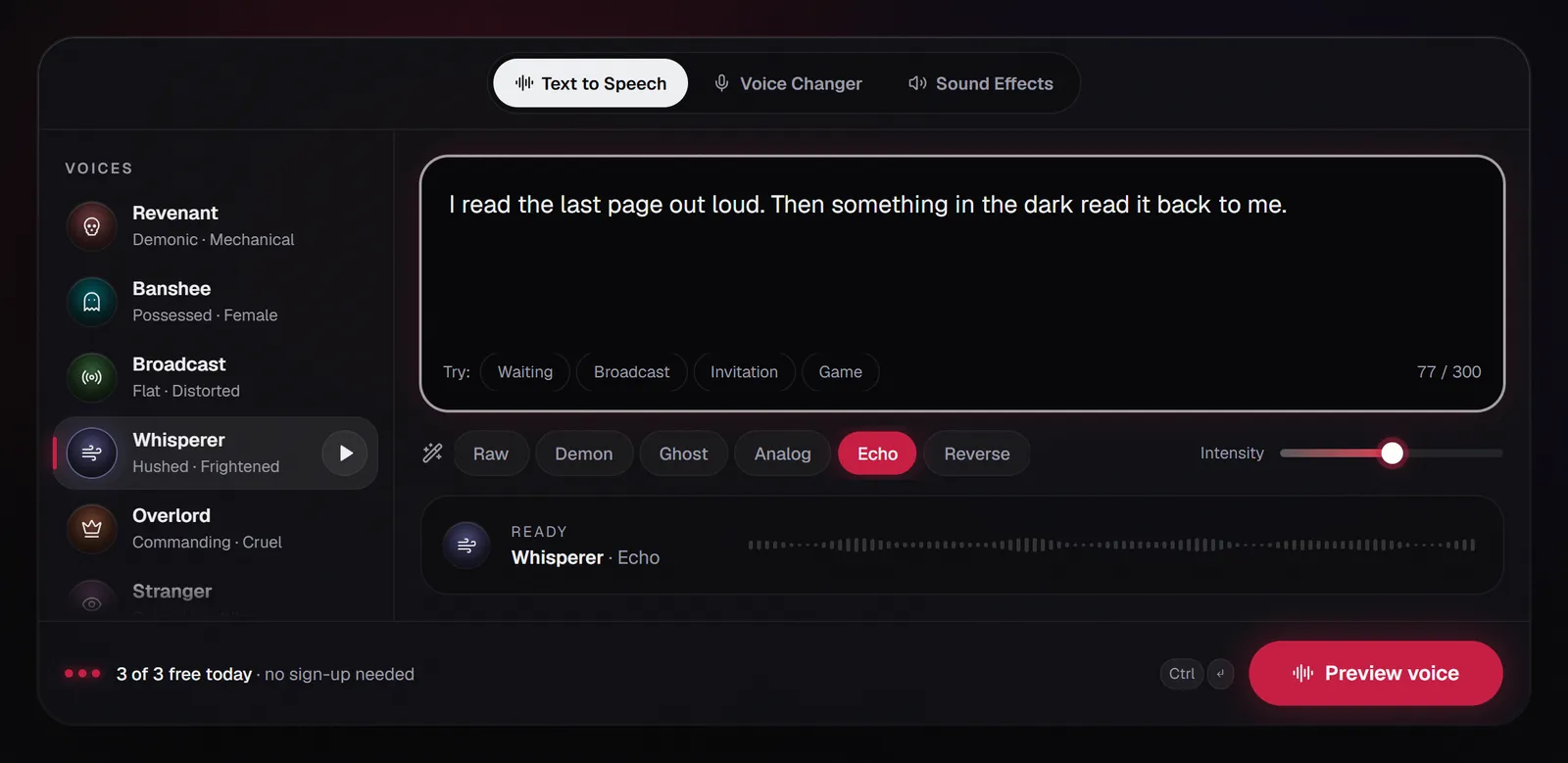
Every visitor gets 3 free generations a day of up to 300 characters, with no sign-up: enough to audition a cast. A full horror podcast episode needs more. Signed in, credits cover clips of up to 2,000 characters, and the Cinematic engine reads tags such as [whispers] and [sighs]. Generate each line as its own clip so the pauses stay yours; the scary story voice generator opens with Matron and Ghost at 40%, a ready-made bedtime narrator. For lines a character might say, browse creepy things to say.
Analog at 40% narrows the voice to roughly 492 Hz to 3.1 kHz and adds faint hiss: a radio in the corner of the scene rather than a narrator. You can use the audio in your own projects, including a monetized horror podcast, but not to impersonate a real person.
Add sound design
A horror podcast has no picture, so sound carries the setting.
- A bed for every location: room tone, rain, a hum. In the Sound effects tab, describe it and switch on Seamless loop; each generation gives up to two takes.
- Spot effects for the actions in your script: the latch, the stairs, the knock.
- Silence before the turn. Take the bed out completely for a beat.
Drones, stingers and mixing for a horror podcast are covered in horror sound design.
License the music
Use music you made, music commissioned under a written agreement, or library music whose license covers podcasts and the way you earn money. A short clip of a commercial song is still a commercial song. Check Creative Commons tracks for NC just as you would stories, and credit BY tracks in the show notes. A theme you own outright is worth the effort: it becomes the sound of your horror podcast.
Horror podcast name ideas
A good horror podcast name hints at a place or an object and leaves the rest unsaid. Ten original ideas:
- Salt and Static
- Unlit Roads
- The Wrong Address
- The Thirteenth Stair
- Cellar Light
- The Second Knock
- Pale Hours
- Ice Road Radio
- Night Shift Tapes
- Basement Broadcasts
We searched for each title in November 2026 and found no well-known show using it. Search podcast directories again before you commit, check the domain and social handles, and make sure the cover is readable at small sizes.
Publish through a host
Every listening app finds your horror podcast through one RSS feed, so the host you pick sits behind every platform.
- Pick a podcast host. It stores your audio and generates the RSS feed the apps read. Apple requires the feed to be publicly reachable, not password-protected (Apple feed requirements).
- Make the cover. Apple's standard is 3000 × 3000 pixels, PNG or JPG, with no transparency (Apple show cover).
- Submit the feed in Apple Podcasts Connect. On Spotify for Creators, choose Find an existing show, then Somewhere else, and enter the RSS feed URL; Spotify verifies ownership with a code sent to the email address in the feed (Spotify help).
Keep a schedule
Listeners stay with a horror podcast when they can predict the next episode.
- Bank episodes before launch, so one bad week doesn't break the run.
- Release on a fixed day, at a rhythm you can hold for a whole season.
- Work in seasons. A planned break beats a silent one.
- Open your horror podcast with a short trailer: one scene, the name and the release day.
FAQ
How do I start a horror podcast with no experience?
Write one short original story, record it in a soft room, add a room-tone bed and one or two effects, and publish it through a host. Make a few episodes before launch so you learn the process before the schedule starts.
Can I read creepypastas or Reddit stories on my podcast?
Only with the author's permission, ideally in writing, covering your horror podcast and whether it earns money. Many authors keep the rights to their stories, and some licenses rule out commercial use.
What equipment do I need for a horror podcast?
A decent microphone, headphones, a quiet room with soft surfaces and free editing software are enough to start. Spend on the room before the gear.
How long should a horror podcast episode be?
As long as the story needs and no longer. A tight short story makes a better episode than a padded long one, and a consistent length helps listeners fit your horror podcast into their week.
How do horror podcasts make sound effects?
Most horror podcast makers record foley, license sound libraries or generate sounds from descriptions, then layer beds, spot effects and silence. In AI Scary Voice, the Sound effects tab turns a written description into one-shots and seamless loops.