Most people who ask how to make a monster voice reach for one pitch shifter and end up with a slowed-down person. A monster voice in a film or game is usually a stack: a human performance for timing and intent, an animal or organic layer for texture, and processing that welds them into one throat. Here is that workflow, step by step, then the browser shortcut.
Decide what the creature is
Working out how to make a creature voice starts before you touch a microphone, with three questions. How big is it? Size sets the pitch. Where does it live? Habitat sets the space: a sewer rings, a forest swallows, a cave holds on to every sound. What does it want? That sets the delivery: hunger is repetitive and wet, territory is short and loud, cunning is slow and almost human. Boom Box Post’s creature vocal breakdown starts the same way.
A zombie voice is the special case. The body used to be human, so keep the voice close to a person: a slack jaw, vowels with the consonants worn off, a moan that runs out of breath mid-word. Process it lightly. A giant monster voice needs the opposite: a deep drop and an enormous room.
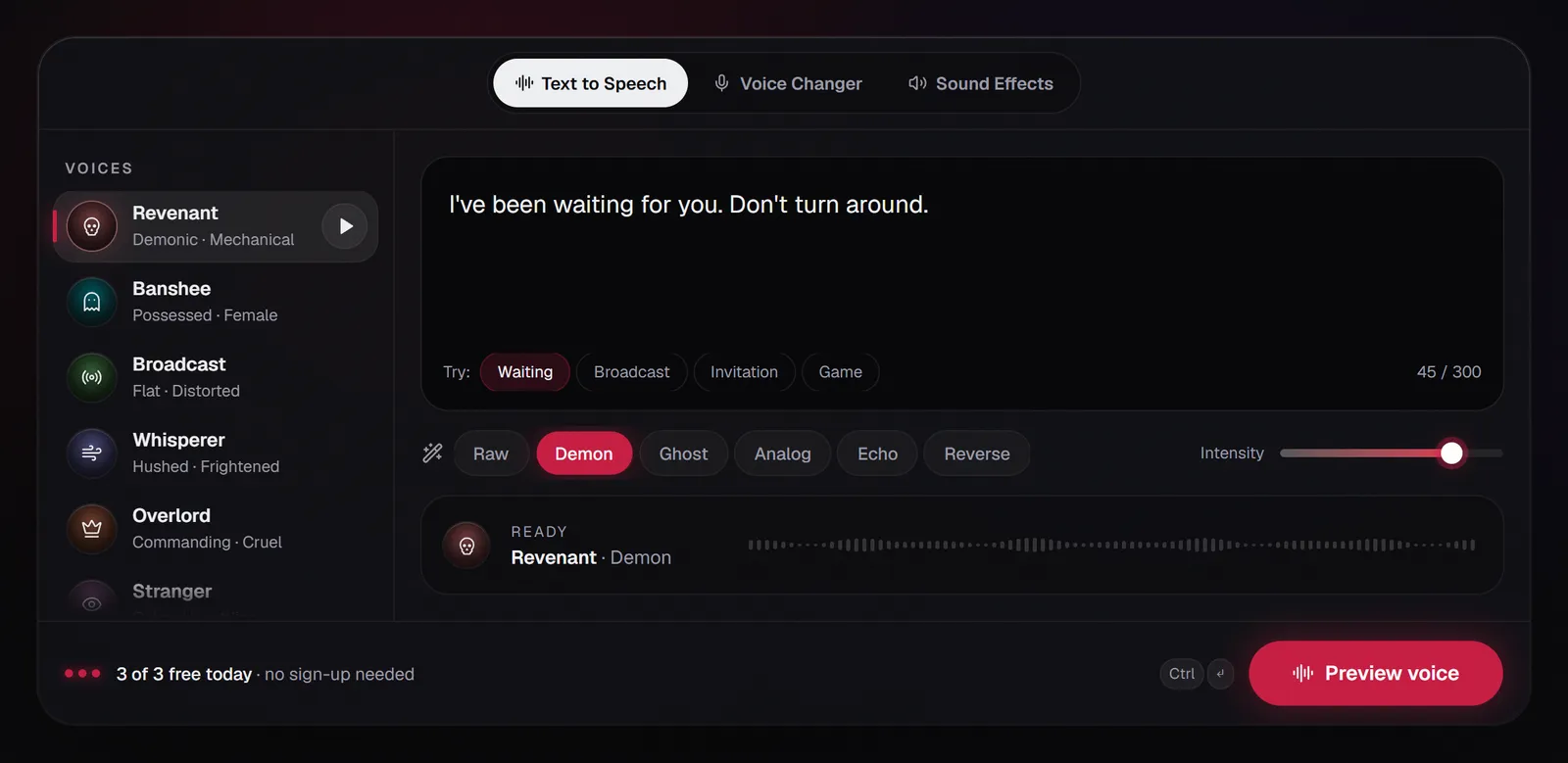
If you start from a typed line instead, the same questions map onto the presets. Revenant, ground through a broken machine, suits a monster voice that is part mechanism. Undertaker is slow and grave, right for a heavy beast. Overlord talks like something used to being obeyed. For a monster voice that has to carry long lines, keep Demon near 50 to 60% so the words survive.
Perform the raw sounds
To make your voice sound like a monster, start with good raw takes. Every monster voice is built from two kinds of take, recorded separately: lines with words, and wild sounds without them.
- Growls. A low rattle on the exhale, from an open, relaxed throat. It should feel like a purr, not a squeeze.
- Snarls and hisses. Lips pulled back, air pushed through the teeth. They carry even at low volume.
- Breath. Pants, sniffs, a slow inhale before a line. Krotos’ monster voice guide rates breath control as highly as delivery, because the quiet parts must hold attention too.
- Mouth sounds. Wet clicks, teeth tapping, chewing. These become texture in the finished monster voice.
Record each sound short and long, small and big, and perform lines slower than feels natural, with gaps the processing can fill.
Record it clean
- Dead room, close mic. A wardrobe full of clothes beats a bare room. You can add a cave later; you cannot remove one.
- Set the level on your loudest roar. Krotos suggests peaks around −12 to −6 dB, recorded at 24-bit, and a higher sample rate such as 96 kHz if you plan to pitch far down, so the finished monster voice sounds less muffled.
Layer it into one throat
One source pitched down still sounds like that source, slowed down. Layering hides where the sound came from. A typical monster voice stack:
- Layer
- Lead
- Source
- Your performance, or a typed line
- Treatment
- Moderate pitch drop, light saturation
- Level
- Loudest; carries the words
- Layer
- Weight
- Source
- A copy of the lead
- Treatment
- One octave down, low-passed under 900 Hz
- Level
- About 8 to 12 dB under the lead
- Layer
- Texture
- Source
- An animal or organic sound you recorded
- Treatment
- Pitched down, high-passed so it adds rasp, not boom
- Level
- Just audible
- Layer
- Breath
- Source
- Inhales, pants, a reversed growl
- Treatment
- Pitched with the lead, short reverb
- Level
- In the gaps between phrases
Texture sources for a monster voice that you can record yourself: a cat’s hiss or a dog’s play-growl at home (only when the animal is already making the sound; never provoke it), a straw bubbling through a thick drink, a squeaky balloon slowed right down, your own snore. A reversed growl swells in instead of dying away, like a creature drawing breath before it strikes.
Sync turns layers into one voice. Line up the loudest moment of every layer with the lead’s, trim each to the lead’s start and end, and fade the edges. If two layers fight in the same low band, EQ one of them out. Boom Box Post’s walkthrough makes the same point: aligned layers stay clear, loose ones turn to mud.
Process the blend
Keep this order whenever you process a monster voice:
- Pitch down. A few semitones for a person-sized creature, more for a giant. If your shifter has a formant control, lowering the formants makes the throat sound bigger without the slowed-tape quality.
- Low end. A low-shelf boost restores the chest a pitch drop takes away.
- Saturation. Enough for rasp. Krotos’ warning: distortion should enrich the voice, not destroy it.
- Top control. A low-pass filter stops the distortion turning into fizz.
- Compression. Evens the stack so a quiet rasp reads as clearly as a roar.
- Space. Match the habitat: a long, dark tail for a cave, short metallic repeats for a sewer, almost nothing for something right behind you.
The studio’s Demon effect is this monster voice effect, ready-made. At 80%, next to the by-hand version:
- Stage
- Pitch
- By hand
- Pitch shifter or varispeed
- Demon at 80% in AI Scary Voice
- 0.76× speed, about −4.7 semitones
- Stage
- Low end
- By hand
- Low-shelf boost
- Demon at 80% in AI Scary Voice
- +8.8 dB shelf at 220 Hz
- Stage
- Saturation
- By hand
- Overdrive or waveshaper
- Demon at 80% in AI Scary Voice
- Waveshaper, drive 30, 4× oversampled
- Stage
- Top control
- By hand
- Low-pass filter
- Demon at 80% in AI Scary Voice
- 5.2 kHz
- Stage
- Weight layer
- By hand
- Octave-down copy, filtered low
- Demon at 80% in AI Scary Voice
- Half-speed copy under 900 Hz, level 0.38
- Stage
- Space
- By hand
- Long, dark reverb
- Demon at 80% in AI Scary Voice
- 2.8 s tail, wet 0.49
Revenant through the monster voice effect
At 50% Revenant is a machine with a sore throat. At 80% the weight layer trails each phrase, like two mouths that don’t quite agree. At 100% the monster voice hits the ceiling: dramatic for one bark, tiring across a speech.
Sync to picture and mix
- Re-time after the pitch drop. Varispeed lengthens a monster voice: a line through Demon at 80% runs about 1.3 times as long.
- Hit the visual. Put the loudest syllable on the frame where the mouth opens or the creature lunges.
- Move the reverb with the camera. More tail when it is far away, drier and breathier as it closes in, and a beat of silence before it attacks.
- Check on a phone speaker. The octave-down layer vanishes on small speakers, so the mid-range rasp must carry the monster voice alone.
How to make a monster voice in your browser
From text. Open the monster voice generator; Revenant and the Demon effect are preselected. Every visitor gets 3 free generations a day of up to 300 characters, with no sign-up, and previews are free. Try Undertaker for a slow, heavy monster voice. Effects run in your browser, so moving the slider never regenerates the voice or costs extra. Download a WAV with the effect baked in, or the original MP3 to layer your own textures under it.
From your own voice. The Voice changer tab records from your microphone (up to 60 seconds) or takes an MP3, WAV, M4A, OGG or WebM upload (up to 3 minutes and 25 MB). Pick Demon, set the intensity and download your monster voice as a WAV. It runs entirely in your browser: nothing is uploaded, it is free, needs no account and doesn’t use your daily generations. It processes recorded clips, not a live mic, so it suits videos and games rather than calls. The scary voice changer page opens it directly.
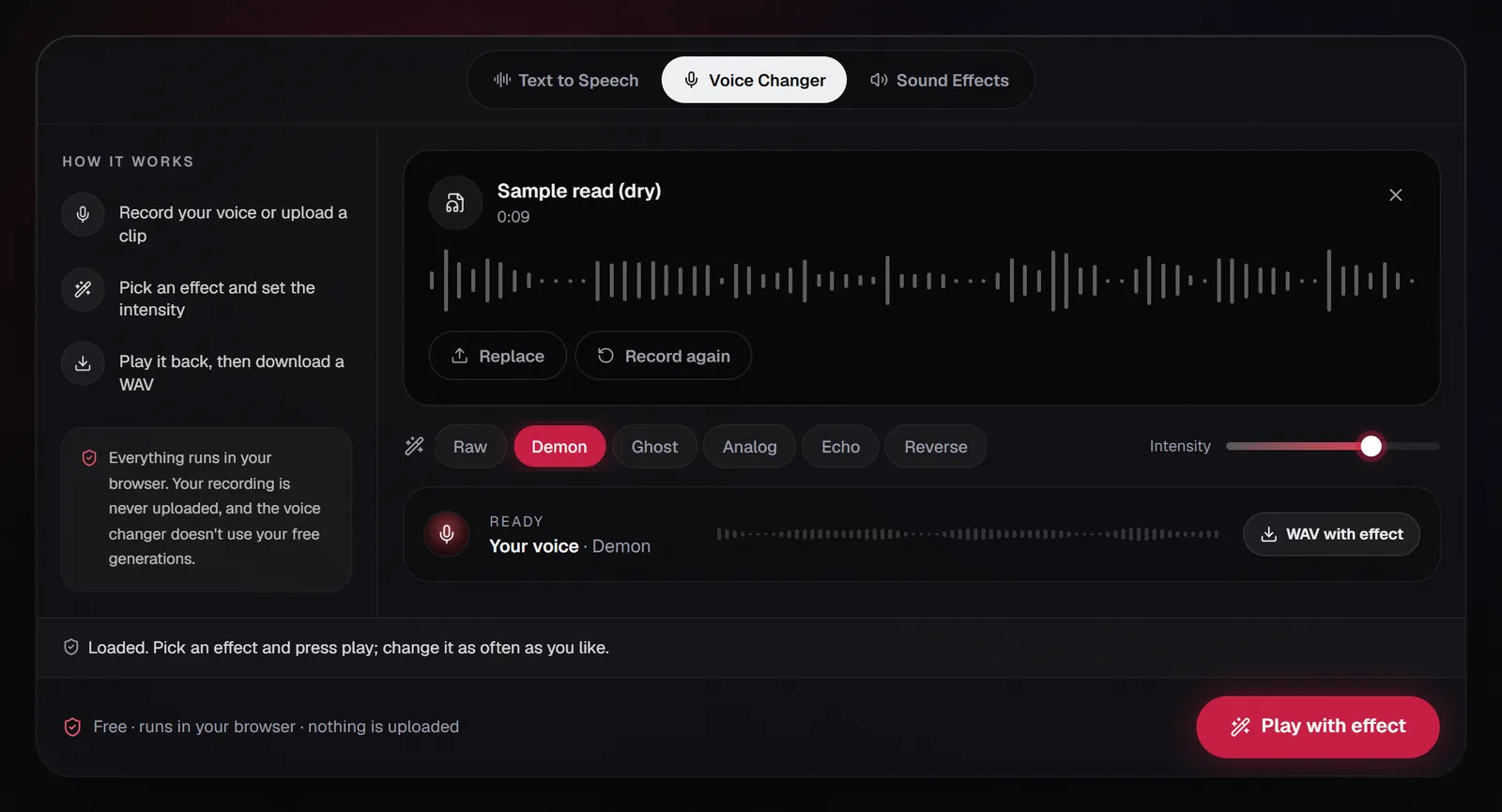
A useful hybrid, and a quick way to learn how to make a monster voice by ear: run your growls and your lines through the changer separately, export each WAV and stack them with the layer table above. If your creature is calm and fluent rather than feral, see how to make a demon voice; for something thin and distant, how to make a ghost voice.
FAQ
Is growling bad for your voice?
It can be if you squeeze or push from the throat. A safer growl is a relaxed rattle supported by breath. Keep takes short, stop at any scratch or burn, rest a hoarse voice and see a doctor if hoarseness lasts. Let the processing, not your throat, supply the size of a monster voice.
How are monster sounds made?
Mostly by layering. A typical film monster voice combines a human performance, animal and organic recordings, pitch and formant shifts, distortion and reverb, cut to picture. One pitched-down source on its own still gives away what it was.
How do you do a zombie voice?
Stay close to human: let the jaw hang, moan on the vowels, drop consonants and run out of breath mid-word. Add a wet gurgle layer and process lightly. Demon at around 40% lowers the voice about two semitones without hiding the person underneath.
How do I make a monster voice in Audacity?
Use Effect › Pitch and Tempo › Change Pitch to go a few semitones down, Effect › EQ and Filters › Bass and Treble to raise the Bass, Effect › Distortion and Modulation › Distortion with a soft overdrive type, and Effect › Delay and Reverb › Reverb with a large Room Size. Duplicate the track with Ctrl+D for the octave-down layer that gives a monster voice its weight. The demon voice guide walks through each step.
How do you make monster sounds with your voice?
Record growls, snarls, hisses and breaths separately from your lines, then layer and process them as above. For a quick monster voice, load a take into the Voice changer and try Demon between 60% and 100%.