
Updated Nov 5, 2026
Emergency alert voice generator
Emergency Alert Voice Generator
This emergency alert voice generator is built for broadcasts that never happened: the warning in your horror short, the radio in your game’s safe room, the voicemail in your ARG. Type the bulletin, keep the steady Broadcast voice, and a lighter Analog setting adds a narrow radio band while every instruction stays clear. For fiction only — never for anything that could pass as a real alert.
Ready
Broadcast · Analog
3 of 3 free today · no sign-up needed
Script ideas
Fictional emergency broadcast scripts
A good fictional alert is dull on purpose: who is speaking, what is happening, what to do. The horror lives in one instruction that makes no sense, read as calmly as the rest. Invent the town, the agency and the station, so the broadcast can only be heard as fiction. Each script below loads straight into the emergency alert voice generator.
“A shelter-in-place order is now in effect for Greywater County. Close all windows. Turn off ventilation. If you hear knocking, it is not the rescue team. The rescue team does not knock.”
Keep intensity at 50% so every instruction stays intelligible.
“The Lantern Valley Observatory advises that the object above the northern horizon is not the moon. Do not look at it. If you have already looked at it, stay where you are. Someone will come for you.”
Pair it with a slow push-in on an empty sky.
“This is a scheduled test of the civil defense warning system. No action is required. This is not a scheduled test. Do not take any action. Do not make a sound.”
Render the last two sentences again at 80%.
“By order of the Halden Township Council, a curfew is in effect from sunset. Porch lights must stay off. If you see a neighbor walking after dark, do not call out. It is not your neighbor.”
Overlord makes the council sound like it enjoys the order.
“Boil-water notice for the eastern district. Do not drink from the tap. If the water from your tap is warm and moving on its own, leave the house. Do not go back for belongings.”
A mundane notice that turns wrong beats an obvious disaster.
“This is the final update from this station. All staff have been evacuated. This message will repeat automatically. If you hear it after the third day, the station is not empty.”
Undertaker gives a heavier, slower last broadcast.
Effect recipe
How the emergency broadcast sound is built
As an emergency broadcast voice generator, this page runs the Analog effect at a lighter 50%, so the voice stays easy to follow. It runs live in your browser through the Web Audio API:
Broadcast
- 1
Radio band
510 Hz – 3 kHzThe boxy sound of a radio or TV announcement, with enough top end left for crisp consonants.
- 2
Light grit
waveshaper drive 50Enough saturation to sound transmitted rather than recorded in a booth, not enough to smear words.
- 3
Announcer leveling
compressor −24 dB, 8:1Each syllable comes out at nearly the same volume, the unhurried delivery of an official bulletin.
- 4
Carrier hiss
noise at 2.5 kHz, gain 0.027Quieter than the analog horror setting: a hint of signal over the air that never covers the words.
- 5
Steady pace
0.97× speed, about −0.5 semitonesA barely noticeable slowdown that adds weight and gives each instruction room.
How it works
How to write and voice a fictional emergency alert
- 1
Invent the source
Name a town, an agency and a station that do not exist. Open with who is speaking and who the message is for.
- 2
Write plain instructions
Short commands: close, stay, do not. Put the one impossible instruction in the middle, worded like the others.
- 3
Voice it at 50% and export
In the emergency alert voice generator, nudge the slider until it sounds like radio but every word is clear, then download the WAV.
Use cases
Where a fictional emergency alert works

Horror films and shorts
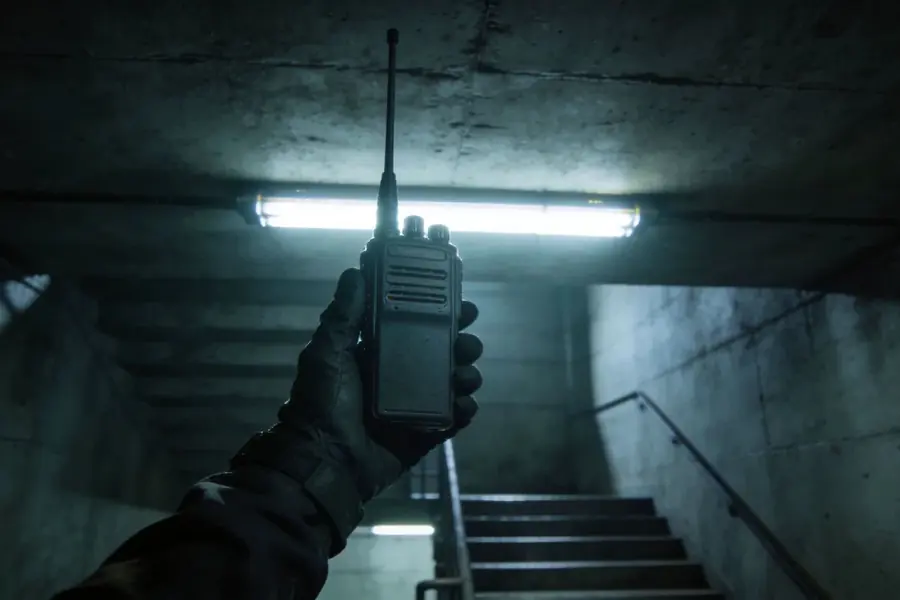
The car radio, the TV left on in the next room, the bulletin that explains just enough.
Survival and horror games
A safe-room radio that updates as the player progresses, or a looping message in an abandoned town.

ARGs and online mysteries
A recovered bulletin on an in-world website, framed so players know it belongs to the game.

Audio dramas and podcasts
A recurring station notice that ties episodes together. When the script changes, run the new version through the emergency alert voice generator.
Tips
Rules for fictional emergency alerts
- Make it obviously fictional: invented places and agencies, inside a film, game or story that frames the broadcast.
- Never play or post it where people could mistake it for a real alert: not on real radio, not in public spaces, not in group chats without context, never with a real agency’s name.
- Listen once as a stranger would. If an instruction is unclear on first hearing, shorten it.
- Repeat the key instruction. Real bulletins repeat, and the repeat is where the horror line hides best.
- In an EAS scenario video, leave the attention tone out, or design an original sting that sounds nothing like a real alert signal.
FAQ
Emergency alert voice generator FAQ
Emergency alert voice generator for fiction: write a shelter-in-place bulletin and hear it in a steady Broadcast voice over a radio band. For horror and ARGs.
Keep exploring
More scary voices


This is only a story
Write the bulletin in the emergency alert voice generator, keep the Analog effect at 50%, and let it play only inside your fiction.